
Chat to clone

CloneCut Agent: Tell It What to Clone

Drop a TikTok or Reel, add one to three photos of the new star and say what you want. The agent tells you what it sees in the clip, writes a plan you can correct in plain words, and shows the price before anything renders. Chatting is free; credits are used only when you press Confirm.

New chat

Reviews · plans · renders only when you confirm

Hi! Drop the clip you want to clone (3–15 seconds) and one to three photos of who or what should star in it, then tell me what to swap. I’ll describe what I see and draft a plan with the exact price.

Nothing is charged while we chat. A render starts only when you press Confirm on a plan.

Chatting is free. Credits are used only when you press Confirm.

Prefer a form? Use the clone studio. CloneCut AI is an independent tool and is not affiliated with Capafy.

How the CloneCut Agent Works

  1. Step 1

    Drop the clip and photos

    Add a 3–15 second MP4 or MOV and one to three photos of the person, pet or product that should star in it. Nothing is uploaded to chat: a few frames travel with your message.

  2. Step 2

    Read the media review

    The agent describes who is in the clip, where they stand, how they move and what your photos show. If it got something wrong, say so and it corrects itself.

  3. Step 3

    Check the plan card

    It proposes which subject gets replaced, any extra direction, Standard 720p or HD 1080p, original sound on or off, the clip length and the exact credit price. Ask for changes in plain words.

  4. Step 4

    Confirm and render

    Press Confirm to upload the files and start the render. It is the only step that uses credits. The finished clone plays right in the chat, and we email you when it is ready.

Example Chats With the Agent

Three requests the agent plans well: one person in a two-person clip, a pet, and a product shot. Press play to compare each clip with its render.

Swap one person in a two-person clip

Example chat · no credits used
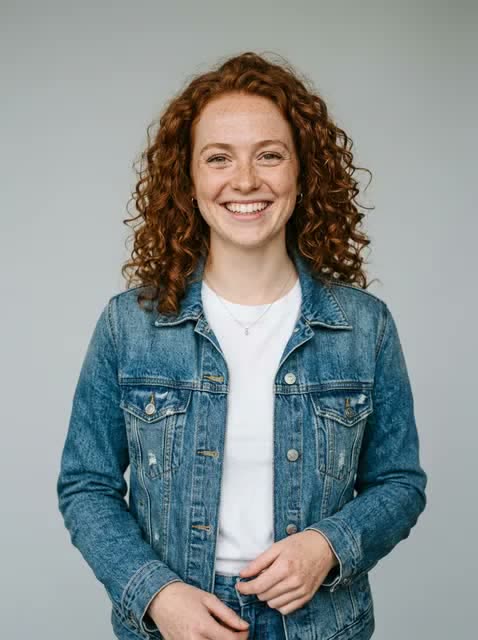
Clip to clonePhoto of a woman with curly red hair

Swap the guy on the left with her. Keep the other guy as he is.

Media review

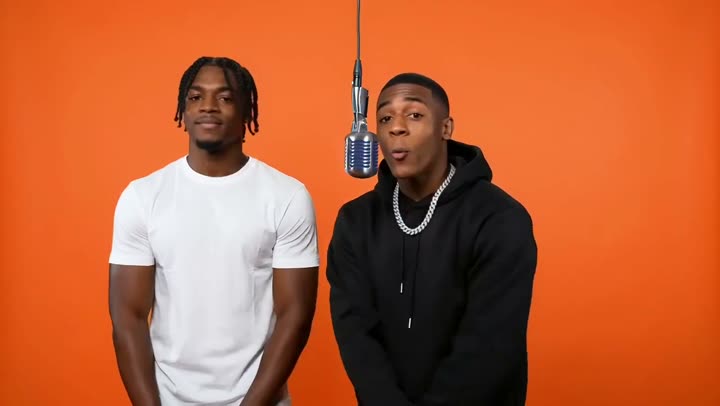
Two men stand in front of an orange wall with a hanging studio microphone. The man on the right raps and gestures; the man on the left stays still. Static camera, 5.0 s, landscape.

In the clip
  • Man on the left — braided hair, white T-shirt, stands still
  • Man on the right — black hoodie, silver chain, raps into the mic
Your photos
A smiling woman with curly red hair in a denim jacket over a white top.

Clone plan

v1
New subject
Person
Replaces
the man on the left in the white T-shirt
Direction
“Swap only the man on the left; keep the man on the right unchanged.”
Quality
Standard 720p · 1 credit / s
Sound
Original sound kept
Clip length
5 s
Price
5 credits
Before
After

Real before and after renders from the same video model; the chat is a written walkthrough.
Recast a pet clip with your dog

Example chat · no credits used

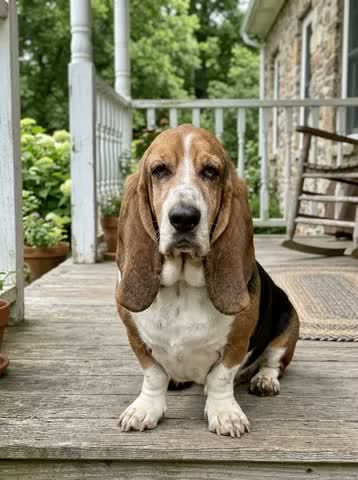
Clip to clonePhoto of a basset hound

Make my basset hound the star instead of the cat.

Media review

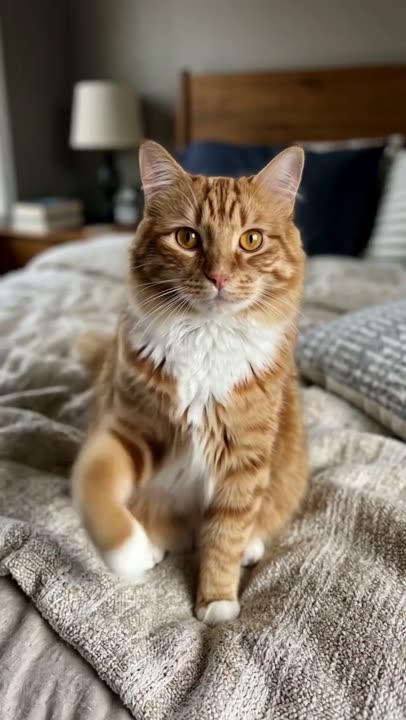
A ginger-and-white cat sits on a bed with a knitted grey blanket and looks around. Bedroom with two lamps, static camera, 5.0 s, portrait.

In the clip
  • Cat in the centre — long ginger fur, white chest, sitting
Your photos
A tricolour basset hound with long ears, sitting on a porch.

Clone plan

Replaced
New subject
Pet
Replaces
the ginger cat on the bed
Direction
None needed
Quality
Standard 720p · 1 credit / s
Sound
Original sound kept
Clip length
5 s
Price
5 credits

Make it HD.

Clone plan

v2
New subject
Pet
Replaces
the ginger cat on the bed
Direction
None needed
Quality
HD 1080p · 2 credits / s
Sound
Original sound kept
Clip length
5 s
Price
10 credits
Before
After

Real before and after renders from the same video model; the chat is a written walkthrough.
Put your product in a viral product shot

Example chat · no credits used

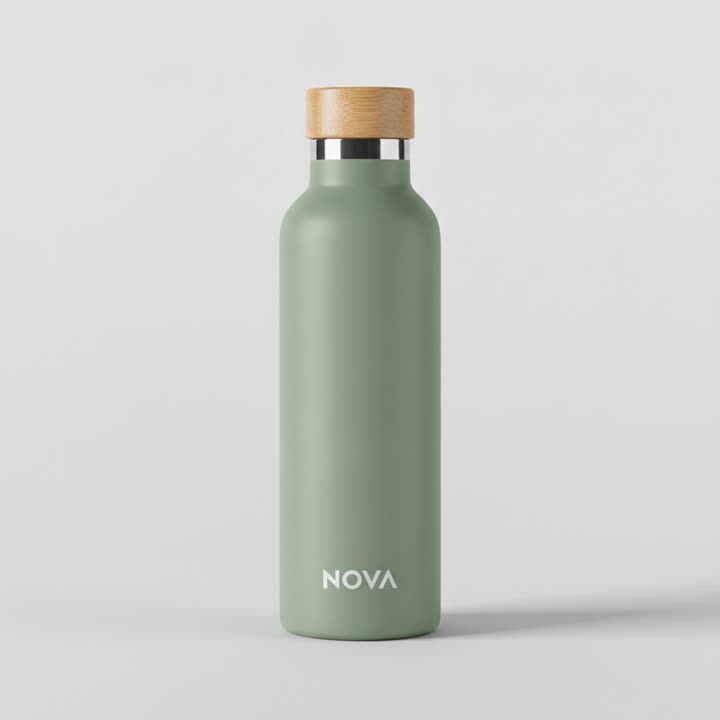
Clip to clonePhoto of a sage-green NOVA bottle

Replace the soda can with my NOVA bottle and mute the sound.

Media review

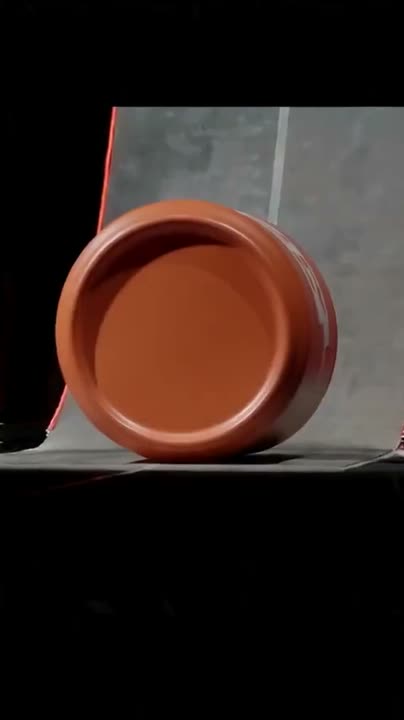
An orange soda can lies on a grey surface, then the camera pulls back as it rolls along a curved ramp on a dark stage with a red rim light. 5.0 s, portrait.

In the clip
  • Orange soda can — lying on its side, rolling along the ramp
Your photos
A sage-green insulated bottle with a bamboo cap and a white NOVA logo.

Clone plan

v1
New subject
Product
Replaces
the orange soda can
Direction
“Show the NOVA logo facing the camera; keep the dark stage and red rim light.”
Quality
Standard 720p · 1 credit / s
Sound
Original sound muted
Clip length
5 s
Price
5 credits
Before
After

Real before and after renders from the same video model; the chat is a written walkthrough.
CloneCut Agent FAQ

Does the CloneCut Agent charge while I chat?

No. Chatting, the media review and the plan cards are free. Credits are used only when you press Confirm on a plan card: 1 credit per second of clip in Standard 720p, 2 in HD 1080p. Guests can send 8 messages a day and signed-in users 60.

What can the agent change in my video?

One subject per clone: a person, a pet, a product or another object, replaced with the subject from your photos. Motion, camera, timing, framing and background stay as they are. You can add short direction, such as which person to swap or who stays unchanged. It cannot change the clip length, add effects or make a video from text alone.

How long can clips be?

3 to 15 seconds, MP4 or MOV, up to 30 MB. The price uses the length rounded up to the next whole second, so a 5-second clip costs 5 credits in Standard or 10 in HD.

Is this Capafy’s CloneCut agent?

No. CloneCut AI is an independent tool and is not affiliated with Capafy, which published the original CloneCut agent. This agent runs on clonecutai.io and plans renders for our own clone studio.

Do I need an account to use it?

Not to chat. Guests get a media review and a plan; signing in with Google is needed only to confirm and render. Your chat and the files you picked stay in the browser through the sign-in.

Can I clone anyone?

Only people who agreed to it. The agent will not plan clones of celebrities or public figures, minors, nude or sexual content, or anything meant to deceive or harass. Every render needs your confirmation that you have the rights to the clip and photos.

Should I use the agent or the clone studio?

Both make the same render at the same price. The studio is a short form for when you know what you want; the agent helps when a clip has several people or you would rather describe the change in your own words.

Still have a question? support@clonecutai.io